WooCommerce to Shopify Migration Guide: The Engineering Playbook That Keeps Your Traffic, Data, and Sanity Intact
Most WooCommerce to Shopify migration guides stop at 'use Matrixify.' This one covers the SEO mapping, the variant-limit trap, the customer password problem, the EU data-residency angle, and the failure modes that destroy traffic in week two.
20 min read
Most WooCommerce to Shopify migration guides stop at "use Matrixify, set up 301 redirects, you'll be fine." That sentence is correct and also dangerously incomplete. The merchants who lose 30 to 60 percent of their organic traffic in the weeks after launch did not skip the redirects. They skipped the URL mapping logic that sits underneath the redirects. They skipped the variant audit. They skipped the customer password reality. They skipped the post-launch validation pass that catches the 20 percent of products a tool silently dropped without an error message.
This guide is the engineering playbook we run on WooCommerce to Shopify projects. It is written for the merchant or developer who has decided the move is happening and now needs to do it without losing rankings, orders, or customer trust. It assumes the strategic decision is made; if you are still debating whether Shopify is right for you, that is a different conversation, and most of it comes down to where the technical debt sits today versus where you want it tomorrow.
The honest framing: a clean WooCommerce to Shopify migration is doable, repeatable, and well below the disaster threshold if you plan it. A rushed one, executed in panic when WooCommerce finally falls over under traffic, is exactly how you become the cautionary tale in someone else's blog post. The window matters. Migrate on your timetable, not your hosting provider's.
Why merchants actually move
We make a point of not pitching Shopify in our migration projects, because the merchants we work with have usually decided. But the patterns that bring them to the decision are consistent enough to be worth naming, because they shape what the migration has to fix, not just what it has to copy across.
WooCommerce stores accumulate plugin debt. Twenty, forty, sixty plugins, each loading scripts, each with its own update cycle, each a potential vulnerability. The store gets slower year by year, the page builder fights the theme, the checkout plugin fights the payment plugin, and every "small change" needs the developer who originally wired it. The site works, but it is a maintenance treadmill, and the merchant spends more time keeping it running than improving it.
The hosting bill is unpredictable. WooCommerce on a budget host falls over during sales. WooCommerce on a serious managed-WordPress host costs as much as Shopify Plus and still requires you to manage your own caching, your own security, your own backups, and your own uptime. The TCO conversation looks different once you count engineering time honestly.
The buyer expectations moved. Sub-second page loads, mobile-first checkout, real-time inventory, AI search surface inclusion, modern payment methods including Shop Pay, Apple Pay, and the buy-now-pay-later providers. Hitting all of those on WooCommerce is possible. It is also a six-figure annual engineering investment in something most teams would rather buy than build.
If your situation looks like any of those, the move makes sense. The rest of this post is how to do it cleanly.
The realistic timeline and cost
Two questions every merchant asks first: how long does it take, and what does it cost. Honest ranges, not marketing numbers.
A standard catalog of a few thousand SKUs, no subscriptions, no heavy customizations, no B2B portal, runs four to eight weeks end to end. That covers planning, theme build, data migration, redirect mapping, QA, launch, and a post-launch validation pass. Smaller catalogs go faster. Larger catalogs, complex variants, subscription data, B2B with negotiated pricing, and ERP integrations push it out to twelve to sixteen weeks.
The cost depends almost entirely on the design and integration work, not the data migration itself. The data move is a few thousand euros of tooling plus engineering oversight. The theme rebuild, the integrations, the data cleanup, and the post-launch tuning are the bulk of the bill. For a typical mid-market WooCommerce store, the realistic total is a five-figure project. Stores trying to migrate for the cost of a Matrixify license alone are the ones who end up redoing it.
The four-phase shape of a clean migration
Every migration we run follows the same four phases. The phase boundaries matter because crossing one before the previous is signed off is the single most common cause of post-launch fires.
Phase 1: audit and plan. What is actually on your WooCommerce store today, what do you keep, what do you finally retire, and what does the new Shopify version look like.
Phase 2: theme and integrations build. The Shopify storefront, the apps, the integrations, the metafield architecture, all built on a dev store with imported sample data, ready to go before the real migration runs.
Phase 3: data migration and redirect mapping. The real catalog, customers, orders, and content move across, with a full 301 redirect map ready to publish at the DNS cutover.
Phase 4: launch and post-launch validation. Cutover with the redirects live, monitoring, and a two-week validation pass to catch the things that always slip through.
The rest of this post walks each phase with the actual decisions and gotchas.
Phase 1: audit and plan
This phase determines whether the rest goes smoothly or whether you discover the surprises at launch. Half a day to two days of work depending on store complexity, and it pays for itself many times over.
Inventory what you actually have
Pull a complete inventory from WooCommerce: every product including variations, every customer, every order, every coupon, every blog post, every static page, every URL pattern. The free tools are useful here; Screaming Frog will give you a clean URL list, and WooCommerce's own export covers the catalog data. Do not skip the inventory because "we know what we have." You almost certainly do not. We have never run a migration audit that did not surface products no one remembered, redirects from 2019 still in place, and customer segments the marketing team thought were gone.
Audit the variants against the Shopify limit
This is the trap that catches more WooCommerce migrations than any other single issue. Shopify has a hard 3-option limit per product (so size, color, and material is fine; size, color, material, and finish is not) and a 100-variant limit per product on standard plans. Shopify Plus extends to 2,000 variants per product, which solves most cases but not all.
WooCommerce has no such limits. Stores with apparel, configurable industrial products, or made-to-order goods often discover at this point that they have products with 4 to 7 options and hundreds of variants. The choices, in rough order of cost and difficulty:
Restructure the catalog so multi-option products split into related products, often using Shopify metaobjects to keep them grouped on the storefront. This is the cleanest answer but it is real work.
Move to Shopify Plus for the 2,000-variant ceiling. Reasonable if the variant count is the only thing pushing you there, but Plus has its own cost that deserves its own decision.
Use a Shopify variant-extension app to lift the limits with metaobjects under the hood. Workable but adds a dependency and an app cost.
The decision needs to happen in the audit phase, not when the import fails halfway through.
Audit the design layer
The piece that surprises people: nothing migrates the design. If your WooCommerce site uses Elementor, Divi, WPBakery, or a custom page builder, every page rendered through that builder has to be rebuilt in Shopify, section by section. There is no tool that converts Elementor blocks to Shopify sections, and AI-assisted conversion tools that claim to do it produce output that needs to be rebuilt anyway.
This is one of the biggest single line items in a real migration budget and one of the most common reasons quoted projects double in cost. Identify the pages in scope, decide which ones are truly worth recreating versus consolidating into Shopify's stronger primitives, and budget the theme work honestly.
Catalog the integrations
List every external system WooCommerce currently talks to. Email marketing, reviews, accounting, ERP, fulfillment, customer service, analytics, ad pixels, subscription management. For each one, determine whether the same tool exists for Shopify (most do), whether it has an export-import path for the historical data, and whether the data model maps cleanly.
Reviews are a common landmine. Star ratings and review content stored in a WooCommerce-native reviews plugin do not automatically appear in the Shopify equivalent. Get the export, confirm the import path on the Shopify side, and confirm the URL mapping so the schema markup stays attached to the right product page.
Subscriptions are another landmine. WooCommerce Subscriptions data, with its renewal dates, payment tokens, and customer billing schedules, does not move to Shopify's subscription apps automatically. Recharge has an established migration process; other subscription apps vary. If you have an active subscription base, this is the integration with the highest blast radius and the one to scope first.
Build the data hygiene plan
Migration is the right moment to clean up. Delete the discontinued SKUs you have been meaning to remove. Standardize the inconsistent product naming. Drop the customers who have not engaged in three years and would land you in unnecessary email-marketing costs on Shopify. The data you carry across is the data you maintain forever; only move what you actually want.
🧹
The cleanest migrations we run move less data than the merchant originally planned. Pruning discontinued products, dormant customers, and stale content during the audit is faster than carrying it across and pruning later, and it produces a smaller, more performant launch catalog.
Phase 2: theme and integrations build
This phase happens in parallel with the late stages of phase 1. The Shopify store gets built on a development store, with sample data, ready to be filled with real data when phase 3 runs.
The theme decision: a stock Shopify theme like Dawn customized through the editor, a paid theme from the Shopify Theme Store, a custom theme built from scratch, or a headless Shopify storefront on Hydrogen or Next.js. For most mid-market migrations, a paid theme with thoughtful customization gets you 80 percent of the way and is the fastest path. Custom themes make sense when the brand or commerce model genuinely requires it. Headless makes sense when the performance, content flexibility, or front-end ecosystem requirements actually justify the complexity; we wrote about that tradeoff in Hydrogen versus Next.js.
The metafield architecture: define your metafields and metaobjects before you start importing data. We covered this in depth in our metaobjects and metafields guide; the migration is the most efficient time to build it because you are touching every product anyway. Stores that skip this step end up retrofitting structured data later, at much higher cost.
The integrations: install and configure each integration on the dev store with sample data. Run the actual import for any tool that supports a test environment. Reviews, subscriptions, email marketing, accounting, ERP, fulfillment, analytics, pixels. Every integration should be working in the dev environment before phase 3 starts, because debugging integration issues with real data flowing is significantly harder.
The checkout configuration: tax, shipping zones, payment methods, custom checkout extensions if needed. With Shopify Scripts retiring on June 30, 2026, any complex checkout logic you bring across should be implemented as a Function from day one rather than as a Script, even if you are launching before that deadline. Migrating now and re-migrating in eight weeks is wasted work.
Phase 3: data migration and SEO mapping
This is the phase that determines whether you keep your organic traffic.
Choose the migration tool deliberately
Three real options in 2026, plus one to avoid.
Matrixify is the engineering-grade choice. It moves products with full metafields, customer data, order history, blog posts, pages, navigation, and redirects, all through the Shopify API with clean import-export round-tripping. It supports dry runs, which lets you validate the entire import before committing. It is the tool we use on serious projects and the only one we trust for stores with non-trivial data complexity.
Cart2Cart and LitExtension are managed automated migrators. Cheaper than Matrixify-plus-engineering-time on the surface, suitable for standard catalogs without unusual data, and convenient if no one on the team wants to learn a new tool. The tradeoff is opacity: when something goes wrong, the diagnostic visibility is limited compared to Matrixify, and you are dependent on the vendor's support timeline.
Shopify Store Importer is the free Shopify-provided option. It works for the simplest stores. It silently skips products it cannot handle, it times out on large XML exports, and it does not give clear error messages when it fails. For anything beyond a small catalog, avoid it. The "free" price is paid later in catalog corrections.
The decision pattern: complex catalog, non-trivial metafields, custom data, B2B or subscriptions → Matrixify with engineering oversight. Standard catalog, no custom data, small team without technical depth → Cart2Cart or LitExtension. Tiny catalog under 100 products → manual CSV is often cleanest. Store Importer for production migrations is not a real option for stores worth migrating well.
Build the URL mapping before you import
This is where most migrations live or die for SEO. The 301 redirect map needs to be built before the catalog imports, not after, because it depends on knowing both the old URL pattern and the new URL pattern, and the new URLs are determined by the Shopify slug rules.
WooCommerce typically uses URLs like /product/blue-cotton-shirt/ and /product-category/shirts/. Shopify uses /products/blue-cotton-shirt and /collections/shirts. The conversion is not literal; you need to map each old URL to its new Shopify equivalent.
For products, the cleanest pattern is to set Shopify product handles to match the old WooCommerce slugs where possible, then build a redirect for every old URL to its new one. For categories converted to collections, the same approach works. For blog posts, Shopify's blog structure differs slightly from WordPress (/blogs/news/post-slug versus /blog/post-slug), so every post URL needs a redirect.
# Sample redirect map (CSV) for Matrixify import
Path,Target
/product/blue-cotton-shirt/,/products/blue-cotton-shirt
/product-category/shirts/,/collections/shirts
/2024/03/15/blog-post-title/,/blogs/news/blog-post-title
/?p=12345,/products/legacy-product-name
/shop/,/collections/all
Build this map by crawling the WooCommerce site with Screaming Frog (which captures every actual URL Google might have indexed), exporting the list, and writing the mapping logic. For most stores, the mapping rules are programmatic: a regex can transform 95 percent of URLs, and the remaining 5 percent need manual review.
The redirects upload through Matrixify in bulk, or through Shopify's native URL Redirects feature for smaller maps. They need to be live the instant you cut DNS, not added in the days after; the gap is when Google sees 404s on URLs that previously ranked, and recovering from that is much harder than preventing it.
Preserve the SEO surface
Beyond the redirects, several specific items need to move across or risk traffic loss.
Page titles and meta descriptions, per product and per collection. Matrixify carries these across; Cart2Cart and LitExtension generally do; Store Importer often does not. Validate that every product on the new store has the title and meta description from the old one.
Schema markup. WooCommerce-side schema, often generated by SEO plugins like Yoast or RankMath, does not transfer. Shopify generates its own Product schema, but the property set is much smaller than what AI agents now read. Plan to add comprehensive schema as part of the theme build, not after.
Image alt text. Frequently lost in migration tools that focus on product data. Validate this explicitly post-import.
Canonical tags. Shopify handles canonicals well by default, but a migration is an opportunity to introduce duplicates by accident, particularly through collection URLs that show the same products as a tag or filter view.
Sitemap. Shopify generates its own sitemap.xml automatically. Submit it to Google Search Console immediately at launch. Do not wait for natural discovery.
Run a dry-run import
Matrixify supports dry-run imports that show you exactly what would change without committing. Use this. Run the full data migration as a dry run, examine the report, fix the issues that surface, then run it for real. This single discipline is the difference between a clean migration and a fix-it-as-you-go week.
The dry run catches the variant limit hits, the missing required fields, the customers with malformed email addresses, the products with image URLs that did not transfer, and the order references that point to deleted products. All of these are easier to fix in the source data than in Shopify after import.
The customer password reality
A point that surprises every merchant: customer passwords are encrypted in WooCommerce and cannot be migrated to Shopify. Customers will be prompted to reset their password on first login.
This is not a tool limitation; it is a security property of how passwords are stored everywhere. There is no workaround. The right pattern is to use Shopify's "Customer Invitation" email feature to send all migrated customers a friendly note about the new store and a reset-password link in the same flow. Position it as a relaunch communication, not a security inconvenience.
EU data residency, if it matters
For merchants with EU customers, the question of where the data lives during and after migration is a GDPR question worth thinking through. The migration tools all process data through their own infrastructure. For a typical store, this is fine and covered by their data processing agreements. For some merchants with sensitive customer data or strict residency requirements, the choice of tool, the temporary processing locations, and the post-migration data hygiene need explicit attention. Confirm your specifics with your DPO if you have one.
Phase 4: launch and post-launch validation
The first week after launch is where the calm migrations and the loud ones diverge.
Launch day checklist
DNS cutover with the redirect map already live. Sitemap submitted to Google Search Console immediately. Analytics and tracking pixels validated through real conversion events, not just tag-fires. The original WooCommerce site stays online behind a noindex header until the redirects have been verified working in production for at least a few days; never tear down the old site until the new one is confirmed catching every URL.
The two-week validation pass
Most migration "disasters" are actually small problems that compounded silently for two weeks because nobody checked. The validation pass that catches them is mechanical and worth doing whether your team or an agency runs it.
- Crawl the new site with Screaming Frog. Compare to the old crawl. Identify any URLs not redirecting, any 404s, any 5xx errors.
- Check Google Search Console daily for the first two weeks. Watch for spike in crawl errors, drops in impressions, changes to indexed page count. Investigate immediately.
- Spot-check 5 percent of products at random. Title correct, description complete, images present, variants right, price right, schema rendering, metafields populated. The tools sometimes silently drop 10 to 20 percent of products without error; this catches it.
- Validate the order history for at least the last 60 days of orders. Customers asking "where is my order from last month" is the single most common post-launch support fire.
- Test the customer invitation email end to end. Send to a test address. Click the reset link. Confirm the password reset works.
- Monitor server logs for unexpected 404s, especially in the first week. Old URLs you forgot to map will surface here before they show up in Search Console.
- Check schema markup with Google's Rich Results Test on top products and collections. The schema generation pattern from the theme build should be working consistently.
- Review email-marketing integration. Has every migrated customer been synced to the new email tool? Are suppression lists preserved? Are segments rebuilt?
The 30, 60, 90 day rule: organic traffic typically dips briefly in the first two to four weeks as Google re-crawls and re-evaluates, then recovers. A clean migration with full redirects, preserved metadata, and proper schema should be back to baseline or better by day 60. A migration that lost the redirects or the metadata will not recover without manual intervention.
What this work costs honestly
A typical mid-market WooCommerce store, 1,000 to 10,000 SKUs, no subscriptions or B2B complexity, a clean theme rebuild, full SEO migration with comprehensive redirects, and a two-week validation pass: realistically a five-figure project running four to eight weeks. Subscription migrations, complex B2B portals, ERP integrations, or large catalogs push it up from there.
The thing not worth doing: spending half the budget on a fast tool migration and then trying to fix the SEO and integration aftermath in-house. The aftermath always costs more than getting it right the first time, and the lost traffic is rarely fully recoverable.
⚙
The hidden cost in cheap migrations is the SEO recovery work. A store that loses 40 percent of organic traffic in week two because the redirects were incomplete will spend the next six months trying to recover what was lost in a weekend. The redirect mapping and validation work is not where to cut corners.
FAQ
How long does a WooCommerce to Shopify migration take?
A standard catalog of a few thousand SKUs with no subscriptions or heavy customization runs four to eight weeks end to end. Larger catalogs, subscription data, B2B portals, or deep ERP integration push it to twelve to sixteen weeks. The data move itself is days; the bulk of the timeline is theme build, integrations, and validation.
Will I lose SEO rankings when I migrate?
Not if you do the redirect mapping and metadata preservation properly. A clean migration typically sees a brief two-to-four-week dip as Google re-crawls, then a return to baseline by day 60. Migrations that skip the redirect work or use tools that drop metadata silently can lose 30 to 60 percent of organic traffic and rarely fully recover.
Can I keep my customer passwords?
No. Passwords are encrypted everywhere and cannot be migrated. Use Shopify's Customer Invitation email feature to send all migrated customers a relaunch message with a reset link in the same flow. Most customers complete the reset on first login without complaint if the message is framed well.
What happens to my order history?
It migrates. Matrixify, Cart2Cart, and LitExtension all move historical order data. Validate the most recent 60 days carefully because that is where customer service questions concentrate. Older orders matter for analytics and reporting; spot-check rather than reading every one.
What about my WordPress blog content?
It moves. Posts, pages, categories, and tags transfer to Shopify's blog structure, though Shopify's blogging is more limited than WordPress and you may need a blog-enhancement app for richer features. Critically, every old blog URL needs a 301 redirect; the WordPress and Shopify blog URL structures differ.
Will my reviews come across?
The review content itself typically migrates if you set up the import on the Shopify side correctly, but the schema markup link to specific products needs to be re-established. Reviews stored in WooCommerce-native plugins like WooCommerce Product Reviews need an explicit export-import path; reviews stored in third-party apps like Yotpo or Judge.me are easier because both sides support the same vendor.
Should I use Matrixify or Cart2Cart?
Matrixify for complex catalogs, custom data, or anywhere you want full visibility into what is moving. Cart2Cart or LitExtension for standard catalogs and teams without technical depth. Avoid Shopify's free Store Importer for anything beyond a tiny test catalog because it skips products silently and times out on large exports.
Do I need to move to Shopify Plus?
Only if your catalog complexity, B2B requirements, or transaction volume justify it. The 2,000-variant Plus ceiling solves the variant trap for stores that hit it, but Plus is a larger annual commitment and deserves its own decision. Most WooCommerce stores migrate to standard Shopify or Advanced, not Plus.
How do I handle Elementor pages?
You rebuild them as Shopify sections, manually. No tool converts page-builder blocks to Shopify sections reliably. This is one of the largest line items in a real migration budget and needs to be scoped upfront, not discovered mid-project.
Can I do this myself or do I need an agency?
Small catalogs with simple data, no subscriptions, no B2B, and a team comfortable with Matrixify can run a migration in-house. Anything with non-trivial data, subscriptions, ERP integration, B2B pricing, or significant organic traffic to protect generally benefits from agency support, because the failure modes are predictable but expensive to recover from.
Where to go from here
If you are at the start of a WooCommerce to Shopify decision, the audit is the right next step. Even a half-day audit tells you whether your catalog hits the variant limit, what your real redirect map will look like, which integrations need explicit migration paths, and what the realistic cost and timeline are. Most merchants find the audit clarifying enough that the rest of the decision becomes straightforward.
If you want us to run the audit and the migration, get in touch. We start every migration with the four-phase plan above, deliver the redirect map and validation pass as named deliverables, and stay engaged through the post-launch monitoring window. You can read more about our Shopify migration service and our technical SEO engineering work, which covers the SEO side of any replatforming project.
For related reading: Shopify metaobjects and metafields for the data architecture decisions to make during the theme build, Shopify Scripts to Functions migration for the checkout customization piece if you have complex discount logic on WooCommerce that needs to come across, and Hydrogen versus Next.js for the headless decision if you are considering moving to a headless Shopify storefront as part of the replatforming.
Related posts
View all articles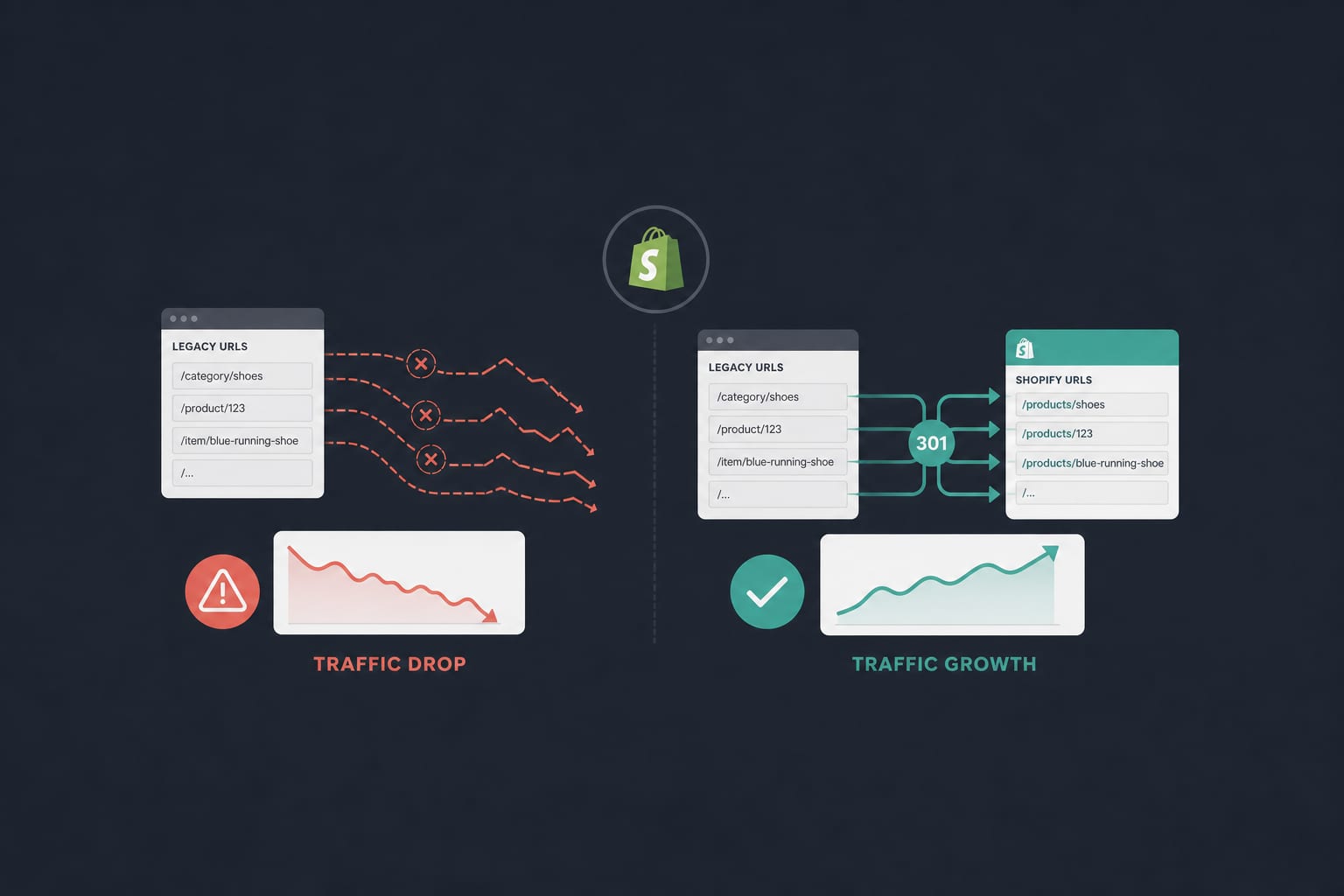
Shopify DevelopmentJan 27, 2026
The Shopify Migration SEO Checklist That Doesn't Lose You Traffic
A senior engineer's playbook for migrating to Shopify without losing rankings. Redirect mapping logic, metadata preservation, hreflang continuity, and the 30-day post-launch monitoring that catches the issues nobody warns you about.
12 min read
Shopify DevelopmentJun 10, 2026
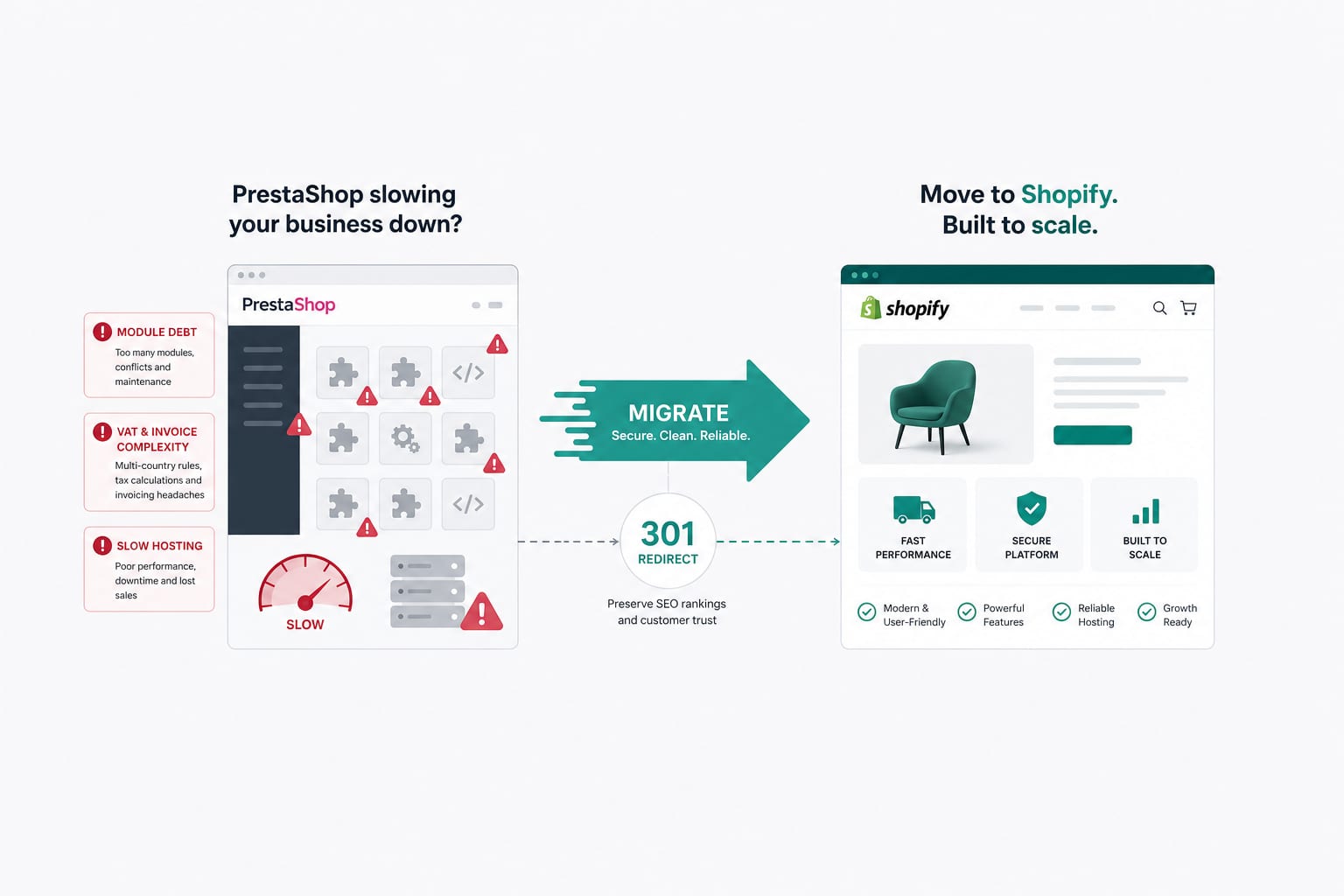
PrestaShop to Shopify Migration in 2026: The French Market Playbook
PrestaShop migrations are not WooCommerce migrations with a different label. The data model, the module ecosystem, the VAT and invoice logic, and the French legal expectations all differ. Here is the playbook we run for French and EU merchants moving from PrestaShop to Shopify.
17 min read
Technical SEOApr 14, 2026
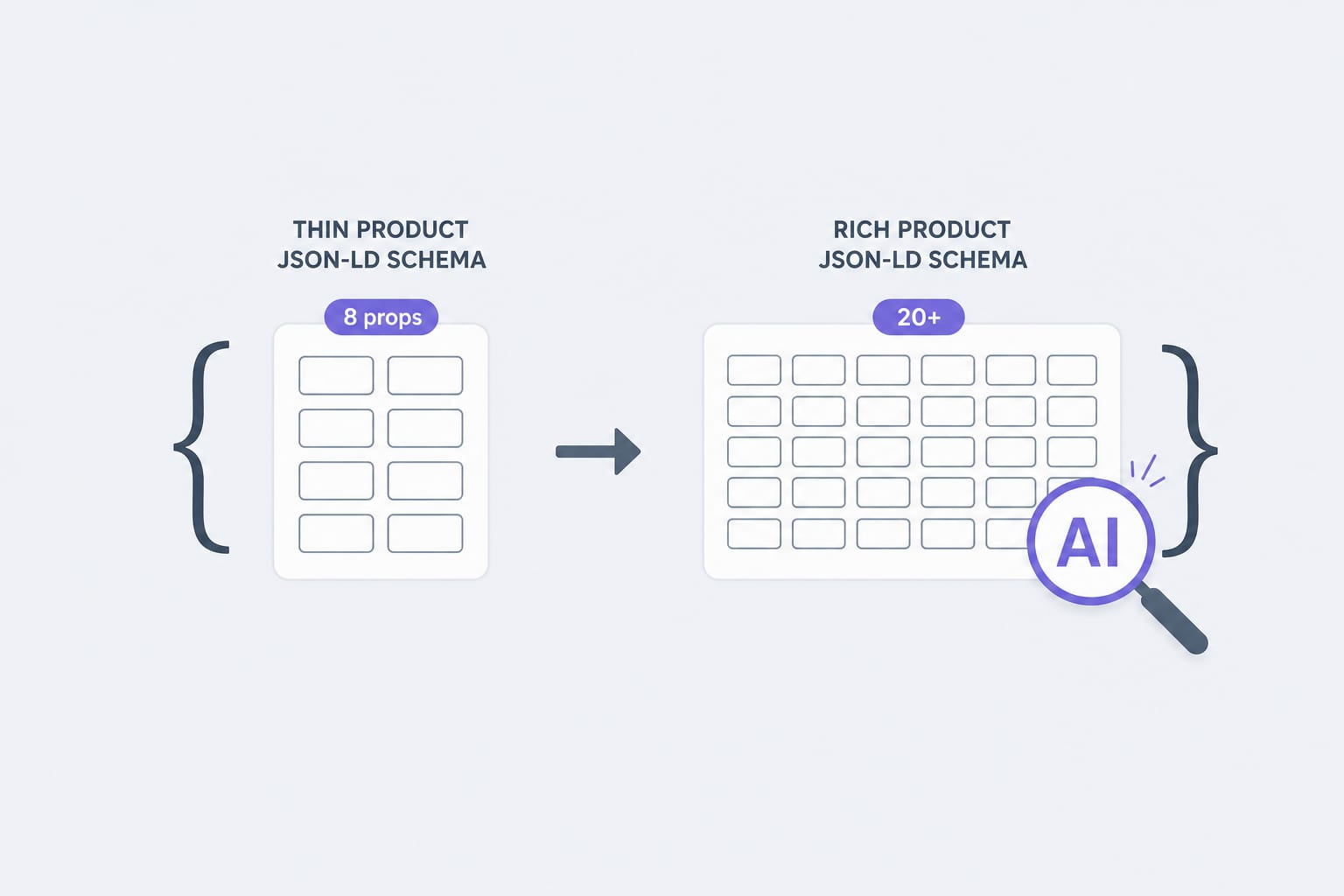
Schema Markup for Shopify in 2026: The JSON-LD Properties AI Agents Actually Read
Traditional Product schema uses 8 to 12 properties. AI agents lean on 20 or more. Here is the property list, the validation rules, and the implementation pattern we use for Shopify stores in 2026.
12 min read