Shopify Scripts Are Dead in 48 Days: The Functions Migration Playbook for Plus Stores
June 30, 2026 is a hard wall. Scripts editing is already locked. If your checkout discounts, shipping rules, or payment logic still run on Scripts, here is the migration playbook, the failure modes, and what it costs.
13 min read
Shopify Scripts stop running on June 30, 2026. Not "get deprioritized." Not "lose support." Stop running. Any discount, shipping, or payment logic your Plus store has in Scripts goes dark at midnight.
If you have been treating this as a someday problem, the someday is in 48 days. And the editing window already closed: since April 15, 2026 you cannot create, edit, or republish a Script. If a Script breaks between now and June 30, you cannot patch it. You can only watch it fail until you have rebuilt the logic in Functions.
This post is the migration playbook we are running with Plus clients right now. It covers what actually breaks, the audit you run first, the rebuild patterns, the failure modes that catch teams under deadline pressure, and an honest account of what the work costs. It is written for Plus stores that still have live Scripts and need to move with intent, not panic.
If your store is on a non-Plus plan, the Scripts deadline does not apply to you directly, but the related Checkout Extensibility deadline (August 26, 2026) probably does. We will note where the two diverge.
Two deadlines, do not confuse them
The single most expensive planning mistake right now is conflating the two deprecation tracks. They are separate, they have separate dates, and they break different things.
Shopify Scripts → June 30, 2026. Scripts are the Ruby-based customization layer that powers checkout discount logic, shipping rate customization, and payment method rules on Plus stores. Editing locked April 15, 2026. The runtime is removed June 30, 2026. The replacement is Shopify Functions.
Checkout Extensibility → August 26, 2026. This is the deprecation of checkout.liquid, the Additional Scripts field, and legacy Thank You and Order Status page customizations. It affects every plan, not just Plus. The replacement is the Checkout Editor, Checkout UI Extensions, and Web Pixels.
A Plus store with custom checkout logic almost always has exposure to both. The order matters: Scripts is the nearer and harder deadline, so it goes first. This post is about Scripts. We will publish the Checkout Extensibility playbook before its August date.
⚠
If your store has discount, shipping, or payment logic in Scripts and you have not started the migration, this is your most urgent open technical item. There is no extension. Shopify announced this in 2023, pushed the date twice, and has been explicit that June 30, 2026 is final.
What actually breaks on June 30
Scripts cover three areas. Here is what stops working in each.
Line item scripts handle discount logic at the cart and checkout level. Buy-3-get-1-free, tiered volume discounts, percentage-off-by-customer-tag, wholesale pricing rules, bundle discounts. When Scripts die, all of this stops. The checkout still loads. The discount just does not apply. Customers pay full price, or the promotion you advertised silently fails.
Shipping scripts customize the shipping rates shown at checkout. Hide express shipping above a weight threshold, show free shipping for specific customer groups, rename or reorder rate options, conditionally surface rates by destination. When Scripts die, customers see your raw, uncustomized carrier rates. For stores that rely on conditional shipping logic, this is a visible checkout regression.
Payment scripts customize payment method visibility and ordering. Hide cash on delivery above a risk threshold, restrict payment methods by region, reorder methods to push the lowest-fee option. When Scripts die, every payment method shows for everyone, including the ones you deliberately hid.
The pattern across all three: the checkout does not crash, it quietly reverts to default behavior. That is what makes this dangerous. There is no error page. There is just a slow bleed of margin, broken promotions, and checkout experiences you spent years tuning, all reverting at once with no alert.
Why Shopify is doing this
Worth understanding, because it shapes how you rebuild.
Scripts run on a sandboxed Ruby interpreter that is isolated from the rest of the modern Shopify platform. They cannot talk to Flow. They cannot use GraphQL. They cannot integrate with Checkout UI Extensions. They are slow under heavy traffic precisely when you need them most, during flash sales. And every platform upgrade Shopify ships has to work around legacy Script behavior.
Functions are compiled WebAssembly modules that run natively inside Shopify's infrastructure at the relevant points in the commerce lifecycle. They are faster, they are testable with real input/output fixtures, they are configuration-driven, and they extend to capabilities Scripts never had: cart transforms, checkout validation, delivery customization, order routing, fulfillment constraints.
The migration is genuinely an upgrade. The catch is that it is a rebuild, not a translation. You do not port Ruby line by line. You re-express the business logic in a different programming model with a different runtime and different constraints. That takes real development time, which is why starting in May rather than late June matters.
The audit you run first
Before anyone writes a Function, you need a complete and honest inventory. The pattern we use:
Step 1: Pull the Scripts Customizations Report
In Shopify admin, the Scripts Customizations Report lists every active Script on your store and flags which ones have direct Function or native equivalents. It is a starting point, not a complete audit. It reliably misses Scripts that were added through deep links, POS extensions, or third-party apps.
Step 2: Manual sweep
Open the Script Editor and read every Script, including disabled ones. For each, write down in plain language what business outcome it produces. Not "Ruby that checks cart.line_items" but "10% off when a customer with the wholesale tag buys 5 or more units." The business outcome is what you are rebuilding. The Ruby is just one expression of it.
Step 3: Categorize every Script
Sort each one into a bucket:
- Dead Script: disabled, or active but no longer serving any live promotion. Document it and drop it. Do not migrate dead weight.
- Native replacement: Shopify now handles this without code. Many basic percentage-off and automatic discount scenarios are covered by native automatic discounts.
- Public app replacement: a Built for Shopify app already does this pattern. Tiered discounts, simple volume pricing, and common shipping rules often have a no-code or low-code app.
- Custom Function required: store-specific logic that no native feature or app covers. This is where the real development sits.
Step 4: Identify the network-call problem early
This is the constraint that surprises teams. Functions cannot make network requests at runtime. Everything a Function needs at execution time must come from its input query or from metafields stored on Shopify objects.
If a Script currently calls an external API to decide discount eligibility, check a customer's status in your ERP, or look up a price in another system, that pattern does not port directly. You have to rearchitect it: sync the external data into Shopify metafields ahead of time, or move that part of the logic to an extension point that supports async operations. Find these Scripts in the audit, not in week three of the rebuild.
Step 5: Rank by risk and revenue
A Script powering your single biggest promotion has a different priority than one that reorders payment methods. Sequence the rebuild by blast radius: the logic that loses the most money or breaks the most visibly if it fails goes first, with the most testing time.
The rebuild patterns
Once the audit is done, the rebuild follows a small set of patterns.
Native automatic discounts
For straightforward percentage-off, fixed-amount, and basic buy-X-get-Y promotions, Shopify's native automatic discounts now cover the case with no code. If the audit puts a Script in this bucket, the migration is a configuration change in admin, not a development task. Do these first; they clear quickly and reduce the rebuild backlog.
Public Functions-based apps
For common patterns, tiered discounts, volume pricing, standard conditional shipping, there is usually a Built for Shopify app built on Functions that exposes the configuration through the admin. The tradeoff is a monthly fee and someone else's roadmap, against zero development and maintenance. For non-differentiating logic, this is often the right call. For logic that is part of your competitive position, build it.
Custom Functions
For store-specific logic, you build a Function. The architecture:
A Function is a small WebAssembly module, written in Rust or JavaScript, that Shopify invokes at a specific extension point. It receives an input defined by a GraphQL query you write, and it returns a structured output. The Function APIs you will use most for a Scripts migration are the Discount Function API, the Delivery Customization API, and the Payment Customization API. Complex logic that combines several Script types may also pull in Cart Transform or Checkout Validation.
The shape of a discount Function:
// src/run.js : runs at the cart/checkout discount extension point
export function run(input) {
  const discounts = [];

  // input is exactly what your run.graphql query requested, nothing more
  const cart = input.cart;
  const wholesaleTier = cart.buyerIdentity?.customer?.wholesaleTier?.value;

  if (wholesaleTier === "tier_2") {
    const eligibleLines = cart.lines.filter(
      (line) => line.quantity >= 5
    );

    for (const line of eligibleLines) {
      discounts.push({
        targets: [{ cartLine: { id: line.id } }],
        value: { percentage: { value: "10.0" } }
      });
    }
  }

  return {
    discounts,
    discountApplicationStrategy: "MAXIMUM"
  };
}
The run.graphql query that feeds it requests only what the logic needs:
query Input {
  cart {
    buyerIdentity {
      customer {
        wholesaleTier: metafield(namespace: "custom", key: "wholesale_tier") {
          value
        }
      }
    }
    lines {
      id
      quantity
    }
  }
}
Two things to internalize from this small example. First, the Function only receives the data the query asks for. If you forget to request a field, it is simply not there at runtime, and that is the single most common bug in Scripts migrations. Second, the customer's wholesale tier comes from a metafield, not an API call, because the Function cannot reach out to your systems at runtime. The data has to already be on the Shopify object.
This is also where a clean metafield architecture pays off. We wrote about Shopify metaobjects and metafields last month; the discipline in that post is exactly what makes Function inputs reliable.
The failure modes that catch teams
From the migration wave that has been running since late 2025, the same mistakes recur. Knowing them in advance turns a six-week firefight into a two-week project.
Assuming the input has what you need. The Function receives only the fields your run.graphql query explicitly requests. Teams write the logic assuming a field is available, ship it, and the Function silently behaves as if the value is null. Test with real fixtures.
Forgetting the no-network constraint until late. A team rebuilds a discount Function, gets it working in a fixture, then discovers the original Script called an external pricing API. Now they need a metafield sync pipeline they did not budget for. Find these in the audit.
Translating Ruby instead of rebuilding logic. Scripts and Functions have different models. Trying to mechanically port Ruby produces awkward, buggy Functions. Re-express the business outcome from scratch in the Function model.
Forgetting to map the revenue or value field. One widely reported failure: a team migrated a Google tag during the related checkout work but did not map the revenue field, and ran campaigns for three weeks with conversions reporting at zero value, which destroyed Smart Bidding. The Scripts equivalent is migrating discount logic but mis-mapping the discount value or target. Verify outputs against known orders.
Testing only the happy path. Discount logic has edge cases: empty cart, mixed eligible and ineligible items, stacking with other discounts, currency edge cases, B2B versus B2C carts. Functions are testable with input/output fixtures precisely so you can cover these. Use that.
Cutting over without parallel verification. Run the new Function alongside the old Script in development, feed both the same inputs, compare outputs. Only cut over when they match across your edge cases.
What it costs
Honest numbers, because the planning question every Plus merchant has is "how much and how long."
The audit is half a day to a day, depending on how many Scripts you have and how well documented they are.
A simple Script that maps to a native discount or a public app is a configuration task, an hour or two each.
A custom Function for store-specific logic is typically two to four days of development including the run.graphql query, the Function logic, fixture-based tests, and parallel verification. Complex logic combining multiple Script types, or logic that needs a new metafield sync pipeline because of the no-network constraint, runs longer.
For a Plus store with a handful of custom Scripts, the realistic total is one to three weeks of focused work. Stores with heavy, interlocking promotional logic take longer, which is the entire reason starting in May rather than late June matters. The stores that wait will be rebuilding checkout logic during their busiest weeks, under deadline pressure, with no editing access to the Scripts that are failing.
🕒
The April 15 editing freeze means a broken Script cannot be patched. If one of your Scripts fails before you have migrated it, your only path forward is the rebuild you were going to do anyway, now done in an emergency. The migration is not optional and it is not deferrable. The only variable is whether you do it calmly in May or frantically in late June.
FAQ
What happens exactly on June 30, 2026?
All Shopify Scripts stop executing. Discount, shipping, and payment logic built in Scripts no longer runs. The checkout continues to function but reverts to default behavior for anything a Script was customizing. There is no extension and Shopify has been explicit the date is final.
Can I still edit my Scripts before then?
No. Script editing, creation, and republishing were locked on April 15, 2026. Existing Scripts continue to run until June 30, but you cannot change them. If one breaks, it cannot be patched.
Do I need Shopify Plus to use Functions?
Public apps built on Functions work on any plan. Custom Functions, the true replacement for custom Scripts, require Shopify Plus. Since Scripts themselves were a Plus feature, most stores affected by the Scripts deadline already have Plus.
Rust or JavaScript for Functions?
Both are supported. JavaScript has a gentler learning curve and is fine for most discount, shipping, and payment logic. Rust offers better performance and is worth it for Functions that run on every cart under heavy traffic. For a typical Scripts migration, JavaScript is a reasonable default; choose Rust deliberately where performance justifies it.
What about the Checkout Extensibility deadline?
Separate track, separate date: August 26, 2026, affecting checkout.liquid, the Additional Scripts field, and legacy Thank You and Order Status pages, on every plan. A Plus store usually has exposure to both. Do the Scripts migration first because the deadline is sooner and the work is harder, then handle Checkout Extensibility.
Can I do this myself or do I need an agency?
Simple Scripts that map to native features or public apps, you can handle in-house. Custom Functions for complex, store-specific logic generally need a developer comfortable with the Function model, GraphQL input queries, and fixture-based testing. If your Scripts were written by a developer originally, assume you need at least some technical help to mirror them correctly.
Where to go from here
If your store still has live Scripts, the audit is the thing to do this week. It is low effort and it tells you exactly how much work stands between you and June 30.
If you want us to run the audit and the migration, get in touch. We start with the half-day audit, deliver the categorized Script inventory and a sequenced rebuild plan, and ship the custom Functions with fixture-based tests and parallel verification before cutover. For Plus stores with complex promotional logic, the sooner the audit happens, the more calmly the rest goes. You can also read more about our Shopify app and Functions development work.
For related reading, our metaobjects and metafields guide covers the data architecture that makes Function inputs reliable, and our custom app versus public app post helps with the build-versus-buy decision that comes up constantly during a Scripts migration.
Related posts
View all articles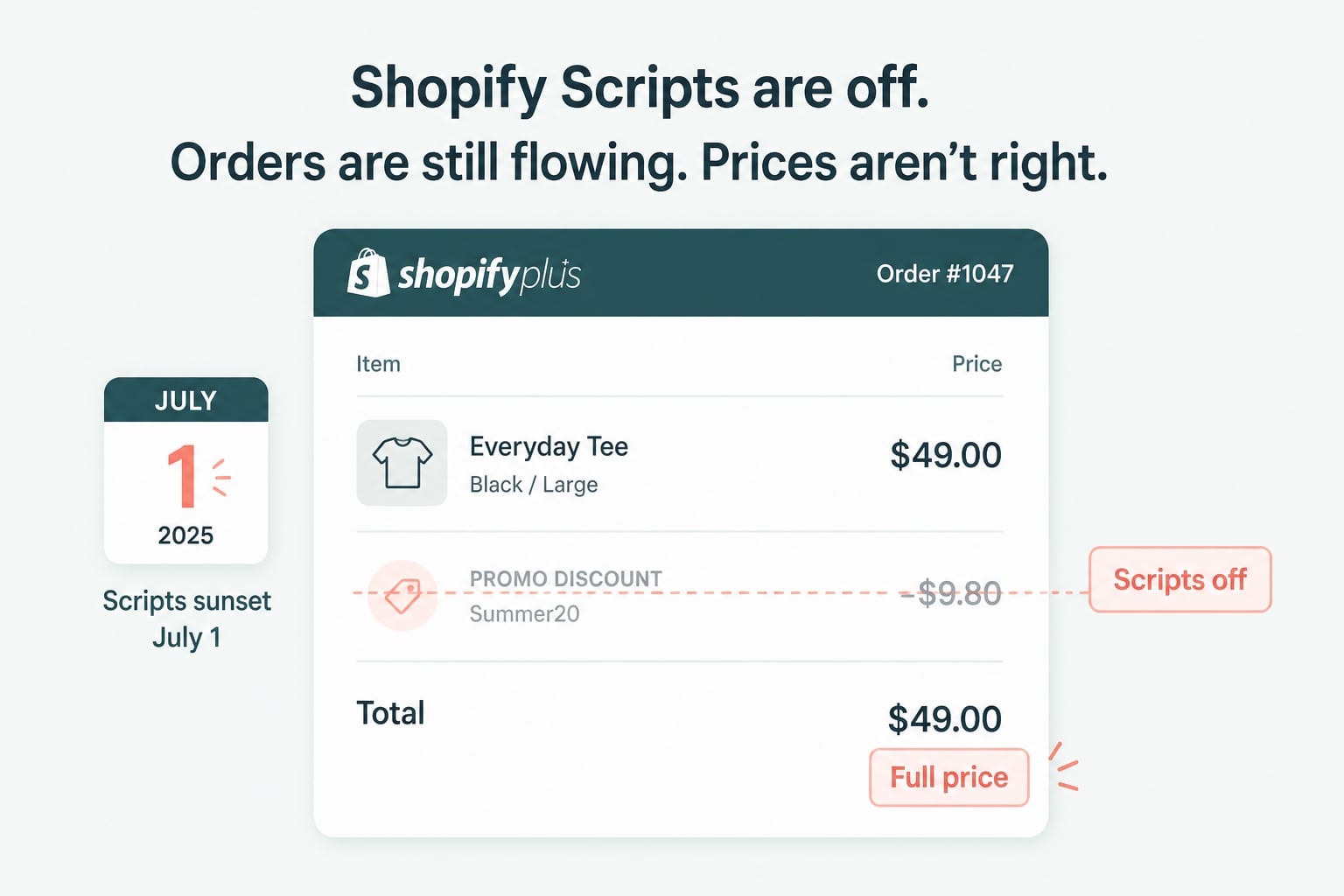
Shopify DevelopmentJul 7, 2026
Shopify Scripts Went Dark on July 1: The Post-Sunset Audit
Legacy Scripts stopped executing on June 30. Here is how to find the discount, shipping and payment logic that quietly disappeared from your store, and what to rebuild first.
7 min read
Shopify DevelopmentJun 17, 2026
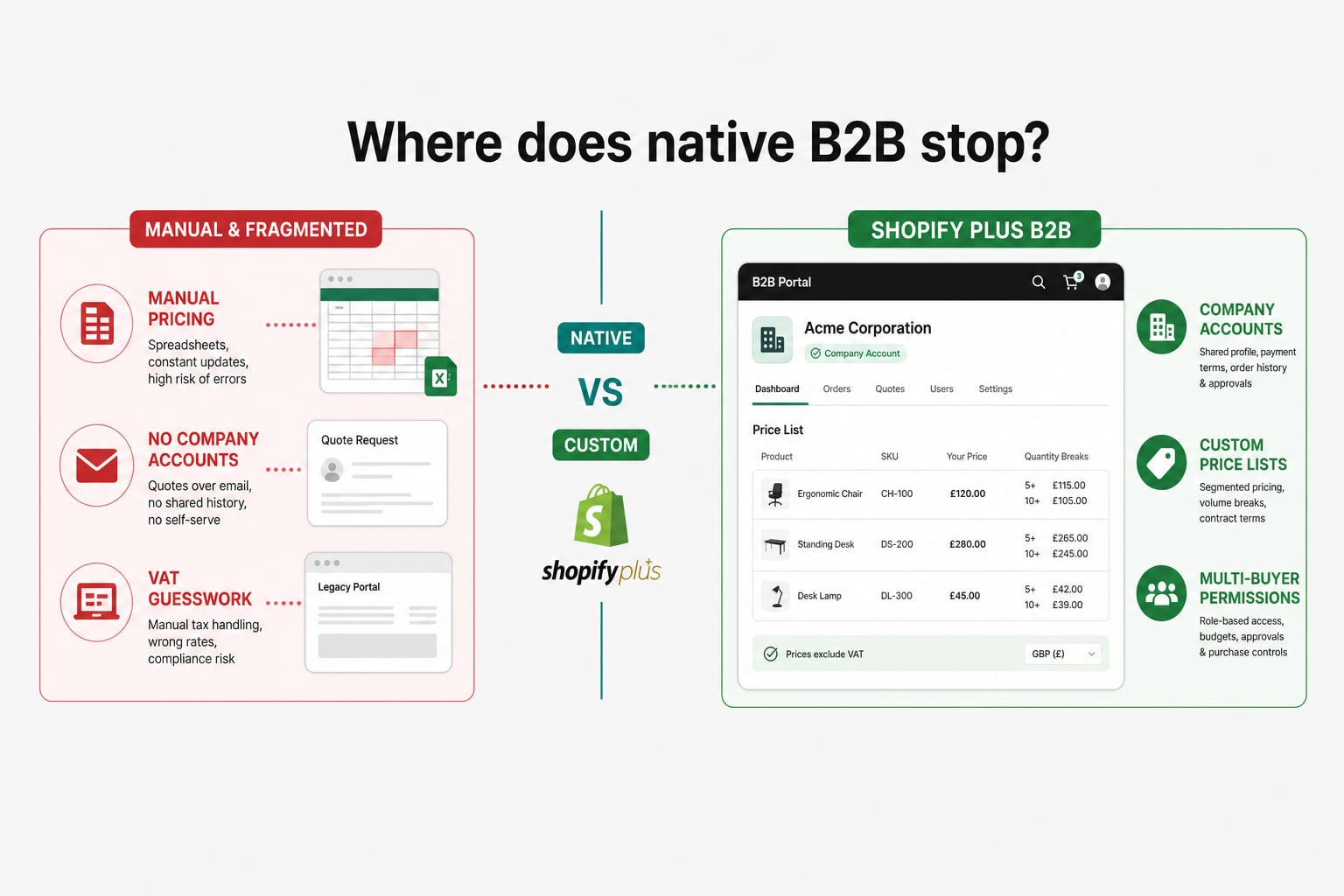
Building a B2B Wholesale Portal on Shopify Plus in 2026: Native Features, the Limits, and Where Custom Development Starts
Shopify B2B has grown up. For most wholesale operations, the native Plus features cover the basics. For VAT exemption logic, ERP-synced pricing, multi-buyer accounts, and credit terms, the line between native and custom is where most stores get stuck. Here is how to draw it.
12 min read
Shopify DevelopmentApr 21, 2026
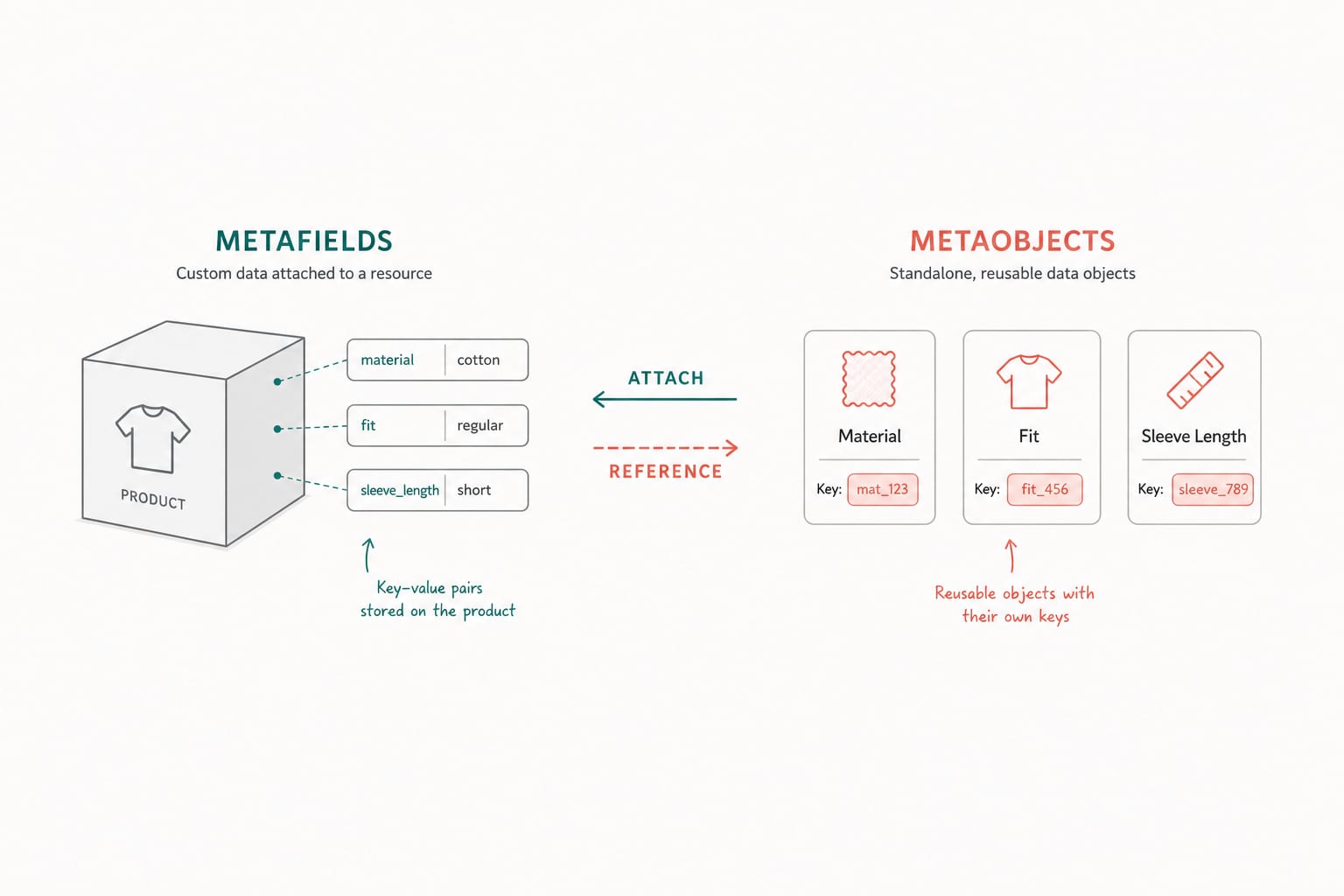
Shopify Metaobjects and Metafields: A Developer's Guide to Structured Content in 2026
Metafields attach data to existing resources. Metaobjects are standalone records you can reference anywhere. Here is when to use which, how to model them, and the API patterns that scale across thousands of products.
12 min read