Building a Shopify and NetSuite Inventory Sync Workflow on n8n
A senior engineer's build-along guide to a production-ready inventory sync between Shopify and NetSuite on self-hosted n8n. Webhook architecture, GraphQL Admin API, rate-limit handling, and the deduplication pattern that keeps stocks accurate at scale.
15 min read
Every multi-channel retailer past a certain size hits the same wall. NetSuite is the source of truth for inventory. Shopify is the customer-facing storefront. They drift apart within hours of going live, and the failure mode is the worst kind: customers buy products that are not actually available, the operations team manually adjusts stocks twice a day, and someone is always one alert away from overselling. The standard answers (Celigo at $400 to $1,500 per month, NetSuite Connector with limited customization, $129K Boomi licenses) work, but they cost a multiple of what the actual job requires for many mid-market wholesalers.
This post is the build-along for the Shopify NetSuite inventory sync we deploy on n8n for clients who decided to own this layer of their stack. It pairs with our self-hosted n8n on AWS setup and our Shopify NetSuite integration architecture comparison. The workflow keeps stocks accurate within 60 seconds across thousands of SKUs, costs $33 per month in infrastructure plus a one-time build, and survives in production because the engineering is in the failure modes, not the happy path.
What we are building
A two-direction workflow on n8n, triggered by NetSuite item adjustment events and reconciled on a schedule, that:
- Listens for inventory changes in NetSuite (item receipts, fulfillments, adjustments, bin transfers)
- Pushes the new available quantity to Shopify via the GraphQL Admin API
- Listens for Shopify orders that consume inventory and pushes the consumption back to NetSuite as the canonical record
- Runs a scheduled reconciliation every hour to catch anything the event-driven path missed
- Handles rate limits, retries, and deduplication so the system survives real-world failure conditions
The whole thing fits in 12 to 18 n8n nodes once you split it into a few related workflows. The engineering is in how you handle the parts that the demos do not show: what happens when Shopify rate-limits you mid-burst, what happens when a webhook fires twice, what happens when NetSuite returns a 500 in the middle of a sync.
Architecture overview
The architectural decisions worth highlighting up front:
Event-driven primary, schedule-based reconciliation. A pure event-driven workflow misses changes when webhooks fail. A pure schedule-based workflow runs constantly and is slow to react. The right answer is both: events for speed, schedule for correctness.
Deduplication is a first-class concern. NetSuite can fire two events for the same logical inventory change (a fulfillment that triggers both an item receipt and an item fulfillment event). Without deduplication, you can race against yourself and end up pushing the wrong quantity. The Postgres table that logs every push is also the table that prevents duplicates.
Idempotency through quantity reconciliation, not event suppression. Rather than try to suppress duplicate events (which is brittle), every push first reads the current Shopify quantity, computes the delta, and applies the delta. Pushing "set quantity to 42" twice is safe; pushing "decrement by 3" twice is not. The workflow uses absolute quantities throughout.
Step 1: configure the NetSuite event source
In NetSuite, deploy a User Event Script (SuiteScript 2.x) on the Inventory Adjustment, Item Receipt, Item Fulfillment, and Bin Transfer record types. The script fires on afterSubmit and posts to your n8n webhook.
/**
 * @NApiVersion 2.1
 * @NScriptType UserEventScript
 */
define(['N/https', 'N/runtime'], (https, runtime) => {

  function afterSubmit(context) {
    if (context.type === context.UserEventType.VIEW) return;

    const record = context.newRecord;
    const webhookUrl = runtime.getCurrentScript()
      .getParameter('custscript_n8n_webhook_url');
    const secret = runtime.getCurrentScript()
      .getParameter('custscript_n8n_webhook_secret');

    // Build payload: record type, internal ID, affected items
    const payload = {
      eventType: record.type,
      recordId: record.id,
      timestamp: Date.now(),
      items: extractInventoryImpact(record)
    };

    const body = JSON.stringify(payload);
    const hmac = computeHmacBase64(body, secret);

    try {
      https.post({
        url: webhookUrl,
        body: body,
        headers: {
          'Content-Type': 'application/json',
          'X-NetSuite-Hmac-Sha256': hmac
        }
      });
    } catch (e) {
      log.error('n8n webhook failed', e.message);
      // do not throw: never block the NetSuite transaction
    }
  }

  return { afterSubmit };
});
The critical detail in this script: the try-catch around the webhook call. If n8n is down or slow, the NetSuite transaction must still complete. Inventory updates in NetSuite are the source of truth; we never block them on a downstream sync.
Step 2: build the n8n webhook trigger workflow
In your n8n instance (the one running on the AWS setup we deployed), create a new workflow. Add nodes in this sequence:
Webhook trigger node
- HTTP method: POST
- Path:
/netsuite-inventory - Authentication: header auth, validated in the next node
Copy the production webhook URL into the SuiteScript parameter custscript_n8n_webhook_url in NetSuite.
Signature verification
A Code node immediately after the trigger that validates the HMAC. Never trust an incoming webhook without signature verification.
const crypto = require('crypto');
const NETSUITE_WEBHOOK_SECRET = $env.NETSUITE_WEBHOOK_SECRET;

const body = JSON.stringify($input.first().json);
const hmac = $input.first().headers['x-netsuite-hmac-sha256'];

const computed = crypto
  .createHmac('sha256', NETSUITE_WEBHOOK_SECRET)
  .update(body, 'utf8')
  .digest('base64');

if (computed !== hmac) {
  throw new Error('Invalid NetSuite webhook signature');
}

return $input.first().json;
Deduplication check
A Postgres node that queries the log table to see if this exact event has already been processed. We log every successful push by eventType + recordId + timestamp and check for a match before processing.
SELECT id FROM inventory_sync_log
WHERE event_type = $1
  AND record_id = $2
  AND processed_at > NOW() - INTERVAL '5 minutes'
LIMIT 1;
If a row returns, the event is a duplicate and the workflow exits cleanly. If no row, we proceed and write a log row at the end.
Fetch current Shopify inventory
The NetSuite payload tells us which items were affected. For each item (SKU), we query Shopify's GraphQL Admin API to get the current available quantity at the relevant location.
query GetInventoryLevel($sku: String!, $locationId: ID!) {
  inventoryItems(first: 1, query: $sku) {
    edges {
      node {
        id
        sku
        inventoryLevel(locationId: $locationId) {
          id
          quantities(names: ["available"]) {
            name
            quantity
          }
        }
      }
    }
  }
}
We use the inventoryItem GID (a global ID like gid://shopify/InventoryItem/12345) and the location GID. Both are mapped from SKU and from the NetSuite location code respectively, through a small lookup table maintained in Postgres or in n8n's static data.
Calculate delta and decide to push
A Code node compares the NetSuite quantity (from the webhook payload, joined to the lookup) against the Shopify quantity (from the GraphQL query). If they match within a tolerance, no push is needed. If they diverge, we compute the absolute new value and prepare the mutation.
const netsuiteQty = $('Parse NetSuite payload').first().json.availableQty;
const shopifyQty = $('Get Shopify inventory').first().json.data
  .inventoryItems.edges[0].node.inventoryLevel
  .quantities[0].quantity;

const tolerance = 0; // exact match required for inventory
const delta = netsuiteQty - shopifyQty;

if (Math.abs(delta) <= tolerance) {
  return { skip: true, reason: 'in sync' };
}

return {
  skip: false,
  inventoryItemId: $('Get Shopify inventory').first().json.data
    .inventoryItems.edges[0].node.id,
  locationId: $('Lookup location').first().json.shopifyLocationGID,
  delta: delta,
  reason: $('Parse NetSuite payload').first().json.eventType
};
Push to Shopify
If the previous node returned skip: false, an HTTP Request node calls Shopify's GraphQL Admin API with the inventoryAdjustQuantities mutation.
mutation AdjustInventory($input: InventoryAdjustQuantitiesInput!) {
  inventoryAdjustQuantities(input: $input) {
    userErrors { field message }
    inventoryAdjustmentGroup {
      createdAt
      reason
      changes { name delta }
    }
  }
}
With variables:
{
  "input": {
    "reason": "correction",
    "name": "available",
    "changes": [{
      "delta": "{{delta from previous node}}",
      "inventoryItemId": "{{inventoryItemId}}",
      "locationId": "{{locationId}}"
    }]
  }
}
The reason field accepts a small set of enum values (correction, cycle_count_available, damaged, movement_created, etc.). For NetSuite-driven adjustments, "correction" is the closest semantic match.
Handle rate limits
This is the part most templates omit. Shopify's Admin API uses a leaky-bucket rate limiter. Default for Plus stores is 1,000 cost points per minute, with each query costing different amounts. An inventory mutation costs around 10 to 20 points; a complex query can cost 50+.
Two patterns we use to stay under the limit:
// After every Shopify call, read the response's
// extensions.cost.throttleStatus and decide whether to wait
const cost = $input.first().json.extensions?.cost?.throttleStatus;

if (cost && cost.currentlyAvailable < 100) {
  const restoreTime = (1000 - cost.currentlyAvailable)
    / cost.restoreRate * 1000;
  await new Promise(r => setTimeout(r, restoreTime));
}

return $input.first().json;
The second pattern: bulk operations. For reconciliation runs that touch hundreds of SKUs, use Shopify's bulk mutations API rather than firing one mutation per SKU. A single bulk operation respects rate limits as one call.
Log the push
Final node, write the result to the Postgres log table. Critical fields: event_type, record_id, SKU, old_qty, new_qty, push_timestamp, success/failure flag, error message if any. This is your deduplication source AND your reconciliation source.
⚠️
The single most common production failure of inventory sync workflows is the log table growing unbounded. After 6 months of high-volume traffic, the deduplication query against an un-indexed log table can take seconds. Add an index on (event_type, record_id, processed_at) and a daily cleanup job that archives rows older than 30 days. The workflow will start fast and stay fast.
Step 3: the reconciliation workflow
Events are not enough. Webhooks fail silently. Network blips lose payloads. Someone manually edits inventory in NetSuite without firing the user event. The reconciliation workflow is the safety net.
In a separate n8n workflow:
Schedule trigger
Every hour. Cron expression 0 * * * *.
Pull NetSuite inventory snapshot
A RESTlet you deploy in NetSuite that returns the current inventory state for items modified in the last 2 hours:
/**
 * @NApiVersion 2.1
 * @NScriptType Restlet
 */
define(['N/search'], (search) => {
  return {
    get: (params) => {
      const since = params.since || (Date.now() - 7200000);
      const itemSearch = search.create({
        type: 'inventoryitem',
        filters: [
          ['lastmodifieddate', 'after', new Date(since)]
        ],
        columns: [
          'itemid', 'inventoryLocation', 'locationquantityavailable'
        ]
      });

      const results = [];
      itemSearch.run().each(result => {
        results.push({
          sku: result.getValue('itemid'),
          location: result.getValue('inventoryLocation'),
          quantity: result.getValue('locationquantityavailable')
        });
        return results.length < 1000; // pagination if needed
      });

      return results;
    }
  };
});
The n8n HTTP node calls this RESTlet with token-based authentication.
Pull Shopify inventory snapshot
For the same SKUs and locations, query Shopify's GraphQL Admin API. Use a bulk operation for efficiency:
mutation {
  bulkOperationRunQuery(
    query: """
    {
      inventoryItems(query: "updated_at:>2026-02-19T20:00:00Z") {
        edges {
          node {
            sku
            inventoryLevels(first: 10) {
              edges {
                node {
                  location { id }
                  quantities(names: ["available"]) {
                    quantity
                  }
                }
              }
            }
          }
        }
      }
    }
    """
  ) {
    bulkOperation { id status }
    userErrors { field message }
  }
}
The bulk operation returns a JSONL file URL when complete. The workflow polls for completion, downloads the file, and parses it.
Compare and correct
A Code node joins the two datasets by SKU and location, identifies any quantity mismatches over the tolerance threshold, and queues correction pushes for any drift. These corrections flow through the same inventoryAdjustQuantities mutation we used in the event-driven path.
Alert on persistent drift
If the same SKU appears in the drift report for three consecutive reconciliation runs, alert. Persistent drift means the event-driven path is broken for that SKU, and silent correction is hiding a real bug. The alert pushes to Slack or PagerDuty with the SKU and the drift size.
The edge cases that production exposes
Production reveals failure modes the demos do not. Cases we have engineered around:
Multi-location split. A product available at three Shopify locations and routed differently in NetSuite. The push needs to know which Shopify location maps to which NetSuite location, and the reconciliation needs to compare on a per-location basis. The lookup table is critical here.
Bundle parent vs bundle components. A bundle in NetSuite may not exist as a single SKU in Shopify; instead, it is multiple line items. The inventory of the bundle is the minimum of the component inventories. The workflow needs to know which SKUs are bundle components and recompute the bundle inventory when any component changes.
Pre-orders and back-orders. Negative inventory levels are a feature, not a bug. Shopify supports overselling with a "continue selling when out of stock" flag. The workflow needs to respect this flag rather than refusing to push negative quantities.
Inventory committed vs available. NetSuite distinguishes "on hand" from "available" (on hand minus committed orders). Shopify's "available" is the customer-facing figure. The push must use NetSuite's locationquantityavailable, not locationquantityonhand, or your customers will see inflated stock.
SKU casing and trimming. Shopify SKUs are case-sensitive. NetSuite item IDs are sometimes uppercase by convention, sometimes mixed. A workflow that pushes "WIDGET-001" when Shopify has "widget-001" silently fails on every event. Normalize SKUs at the lookup boundary.
💡
The "inventory sync works" milestone is when the reconciliation report shows zero drift for seven consecutive days across all SKUs. Reaching that milestone is the goal of the production hardening phase. Before that, you have an inventory sync that works most of the time; after that, you have one that works.
What this typically replaces
A realistic cost comparison for a mid-market wholesaler doing 20,000 orders per month across Shopify Plus and NetSuite:
| Path | Year 1 cost | Annual cost year 2+ |
|---|---|---|
| Celigo NetSuite-Shopify connector | $25K to $40K | $15K to $30K |
| Boomi for the same flows | $80K to $150K | $50K to $100K |
| NetSuite Connector (SuiteApp) | $5K to $15K (config) | included in NetSuite license |
| Custom n8n workflow on self-hosted AWS | $30K to $60K (build) | $5K to $10K (maintenance + AWS) |
The n8n path is most competitive against Celigo and Boomi. Against the native NetSuite Connector, the build cost rarely pays back unless you genuinely need custom logic the Connector cannot model. We covered the full comparison in our Shopify NetSuite integration architecture post.
When this approach is wrong
The honest counter-cases. Self-hosted n8n inventory sync is not the right answer for every store.
Low volume. A store under 1,000 orders per month does not stress the native NetSuite Connector. The cost of building custom does not pay back. Use the SuiteApp.
Standard data model. A store whose inventory model fits the NetSuite Connector's defaults (one Shopify location to one NetSuite location, single subsidiary, standard items) does not need custom logic. Use the SuiteApp.
No engineering capacity. Self-hosted n8n means you own the deploy, the upgrades, the failure modes. For teams with no DevOps capacity, Celigo's managed service is worth its price.
You need a UI for ops staff. The n8n workflow has no admin interface. If your operations team needs to view sync status or trigger manual corrections from a dashboard, you need to build a small admin app on top, or pick a tool that ships one. We covered this trade-off in our custom app vs public app post.
What we ship at Sentinu
Recent inventory sync engagements:
- A French D2C brand on n8n self-hosted, 15K orders per month, sync between Shopify Plus and a NetSuite OneWorld setup with two subsidiaries. Replaced a Celigo subscription that had been failing on the multi-subsidiary logic. 14-week build, 30 days of stabilization, zero drift sustained at week 5.
- A UK industrial supplier on n8n with a more complex sync that joins NetSuite, a custom WMS, and Shopify Plus. Three n8n workflows in coordination, with the WMS as the operational source of truth and NetSuite as the financial system of record. 22-week build, the kind of integration the off-the-shelf tools genuinely could not handle.
- A Canadian distributor on the NetSuite Connector with two custom n8n workflows handling the parts the Connector did not cover (a regional fulfillment routing rule and a low-stock alerting flow that fed into Slack). A hybrid pattern, lower build cost, same operational outcome.
The pattern: the right architecture is rarely "all n8n" or "all Celigo." It is the combination that fits the operational shape and the engineering capacity of the specific business.
FAQ
How fast does the sync propagate?
In production, our typical event-to-Shopify latency is 5 to 15 seconds for the webhook-driven path. The hourly reconciliation catches anything missed. For stores where sub-5-second sync is genuinely required (live events, flash sales), the architecture scales by adding more n8n workers and using Shopify's webhook subscriptions on the order side to avoid polling.
Does this work for Shopify B2B?
Yes. B2B orders consume inventory the same way D2C orders do, and the inventory adjustments flow through the same APIs. The B2B-specific complexity is in the catalog and pricing layer, not the inventory sync layer. We covered B2B Shopify in our Shopify Plus B2B post.
What if I do not have NetSuite, but a different ERP?
The architectural pattern is the same. Replace the NetSuite RESTlet and User Event Script with the equivalent in your ERP (SAP, Microsoft Dynamics, Sage, Acumatica all have webhook or event-emission capabilities). The n8n workflow logic, the Shopify GraphQL calls, and the deduplication and rate-limit handling all transfer cleanly.
Can I run this on n8n Cloud instead of self-hosted?
Yes, with caveats. n8n Cloud handles the same workflow logic, but you lose the ability to deploy inside an EU region of your choice (relevant for RGPD or PIPEDA compliance), and you lose direct control over the underlying infrastructure. For most mid-market stores, n8n Cloud is a fine starting point that can migrate to self-hosted later if needed.
How does this compare to writing a custom Lambda?
The Lambda alternative is a fully custom Node.js or Python service that runs the same logic. It is the "build" option in the NetSuite integration architecture comparison. The n8n approach is faster to ship (the visual canvas plus pre-built Shopify and HTTP nodes saves real time) and slightly slower at scale. We use the Lambda approach for clients who score very high on volume or have very specific performance requirements.
What happens if Shopify's API is down?
The workflow retries with exponential backoff. After three failures, the event is dead-lettered to a separate Postgres table and a Slack alert fires. The hourly reconciliation will eventually pick up the missed sync, so persistent Shopify downtime causes inventory lag rather than data loss.
Can this handle multi-currency or multi-tax scenarios?
Inventory is unit-based, not currency-based, so multi-currency is not directly relevant to this workflow. Multi-tax is also outside the sync layer (handled at the order layer). The workflow synchronizes physical inventory quantities, which are jurisdiction-independent.
How does this connect to my abandoned cart and customer flows?
It does not directly, and that is by design. Inventory sync is back-office plumbing. Customer-facing flows (recovery, segmentation, personalization) are a different layer. The two share the same Shopify store but address different problems. Keep them separate; the architecture is cleaner that way.
Where to take this next
If you are scoping a Shopify NetSuite inventory sync and the framework above pointed you toward the n8n path, that is what our workflow automation services and API integration practices cover together. We have shipped this exact architecture for clients across France, the UK, and Canada, and the engineering reality of running it in production has shaped every line of the workflow above. If the broader integration question is "which path is right for our specific business," our Shopify NetSuite integration architecture post is the companion read.
Related Topics
Related posts
View all articles
Workflow AutomationApr 28, 2026
How We Replaced a 14-App Shopify Stack With 3 n8n Workflows (And What It Cost)
A real client cleanup. Fourteen apps doing automation, abandoned cart, inventory sync, and review imports. Three n8n workflows replaced them in two weeks. Here is the architecture, the math, and what we would do differently next time.
12 min read
API IntegrationMar 10, 2026
Shopify + NetSuite Integration: A Vendor-Neutral Architecture Guide
A senior engineer's vendor-neutral comparison of Shopify NetSuite integration approaches. Native Connector vs Celigo vs Boomi vs custom RESTlets. Real failure modes, field mapping logic, and the architecture decisions that decide whether the integration scales.
13 min read
Workflow AutomationMay 30, 2026
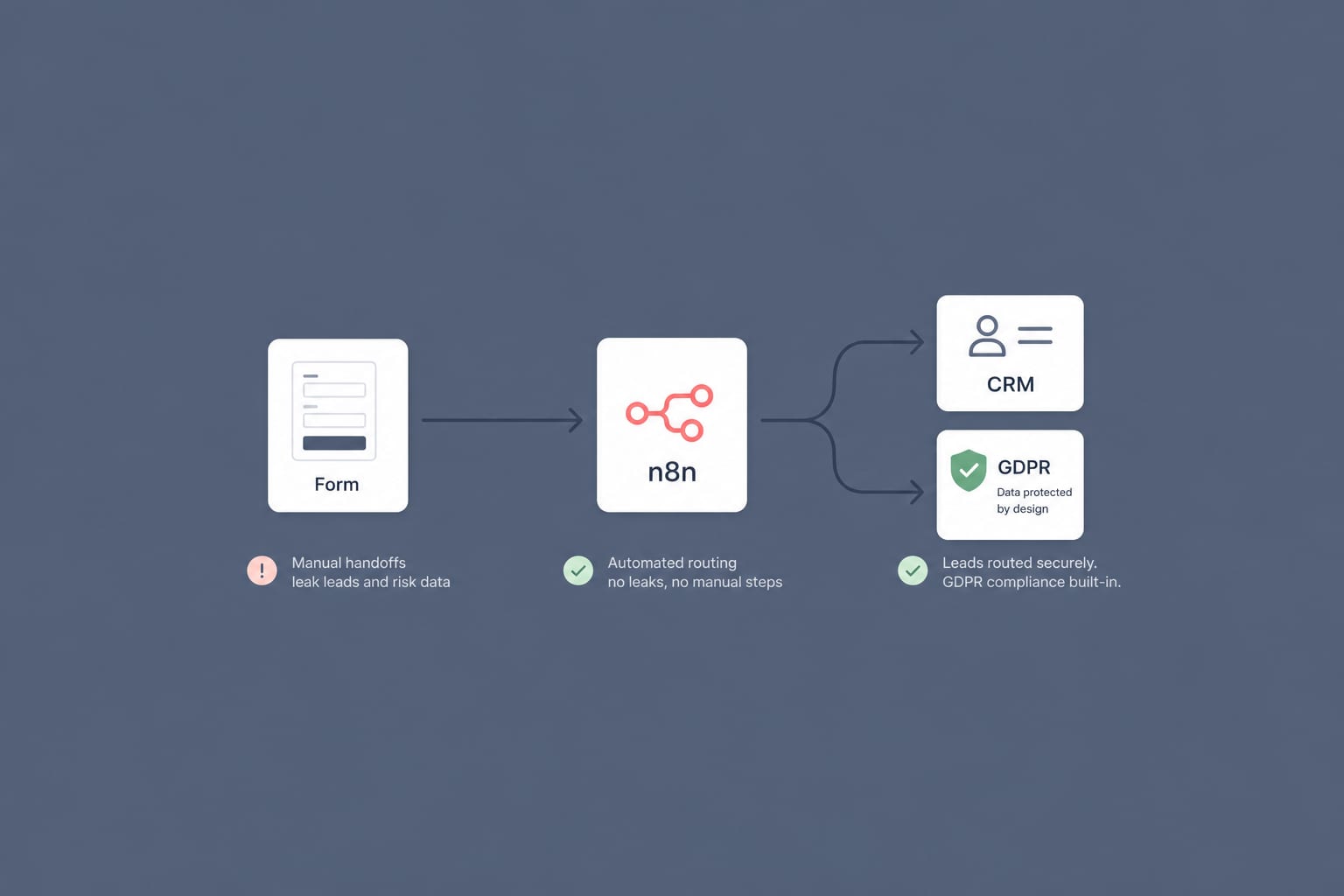
A GDPR-Compliant n8n Workflow for B2B Lead Routing: From Web Form to CRM in 60 Seconds
Most B2B lead routing is a leaky relay of manual steps. Here is a self-hosted n8n workflow that takes a form submission to the right salesperson's CRM in under a minute, with GDPR built in rather than bolted on.
12 min read