Email automation for Shopify marketing
Trigger, wait, send. Pause, archive, or filter who enters.
Customer journeys and ops alerts in one place
Abandoned carts go quiet
Transactional email is not enough
Ops still copy-paste alerts
EmailOS automates customer journeys and internal notifications from the same flow.
<Who_it_is_for />
Built for Shopify teams that want email in admin
A fit if you need
- Welcome email, welcome series, cart recovery, post purchase email, browse abandonment, and winback email
- Ops complexity: backorders, preorders, made-to-order, restocks, dropship, 3PL, wholesale
- Everything inside Shopify admin, not a separate marketing dashboard
Not a fit if you need
- SMS, popups, review collection, or list-growth forms
- A standalone ESP with a separate marketing dashboard
- A CLI inbox or an image-to-HTML converter. Those are different products.
<How_it_works />
Three steps from preset to live flow
01
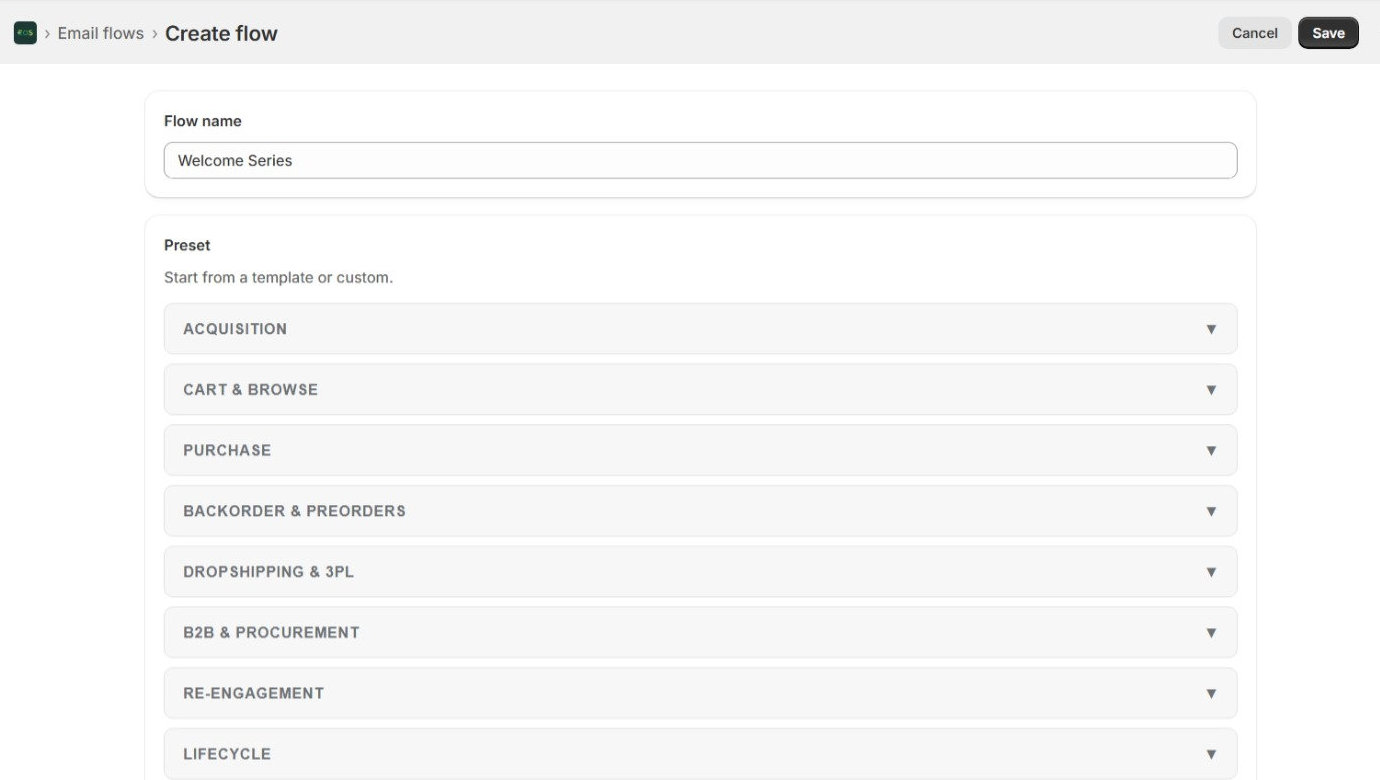
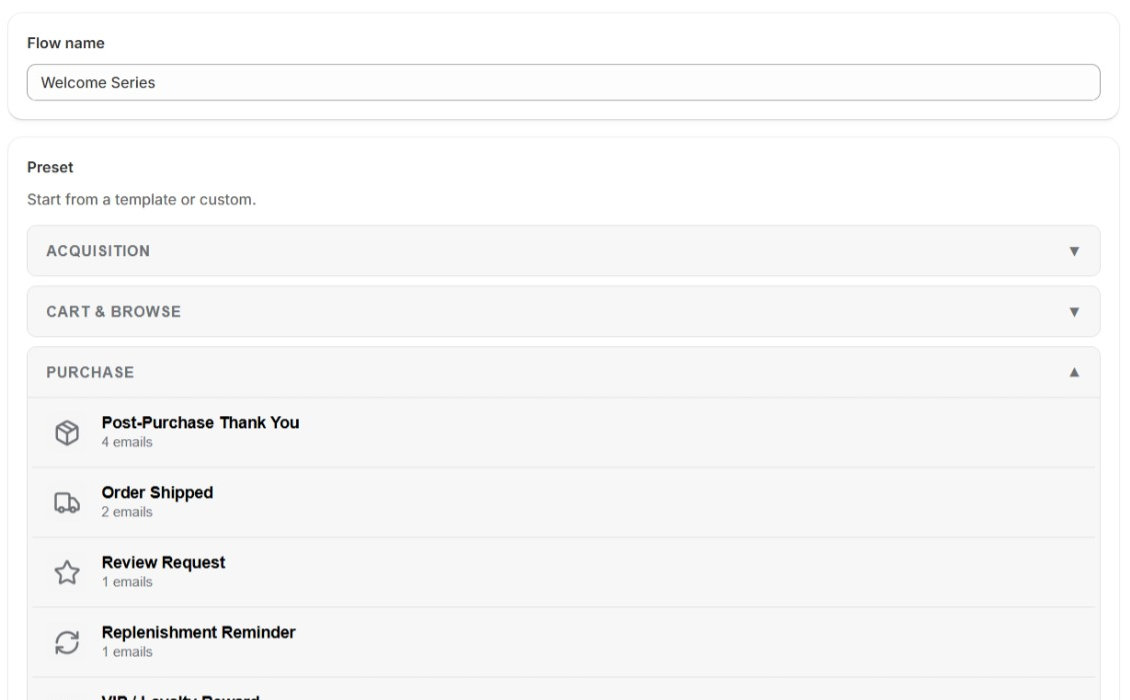
Pick a preset or start custom
Welcome, abandoned cart, browse abandonment, shipping, reactivation, and ops templates are ready to edit.
02
Design the emails
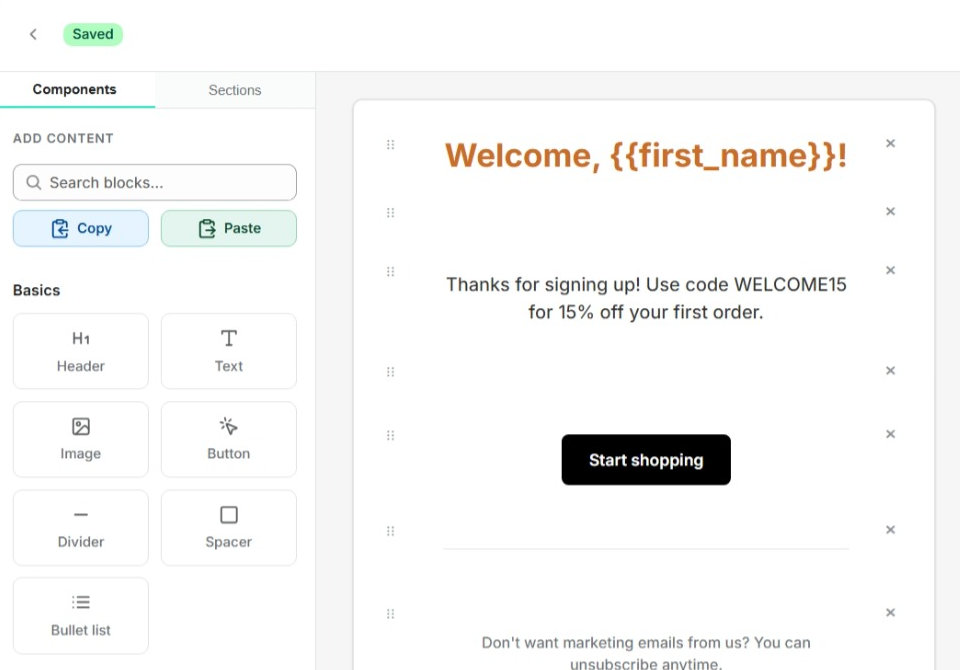
Drag blocks, pull in Shopify products and discounts, personalize with {{variables}}.
03
Turn the flow on
Shopify events and storefront tracking fire the sequence. Delays, filters, and segments control who gets what.
<Product_capabilities />
Flows, a visual builder, and email in Shopify
<Automation_flows />
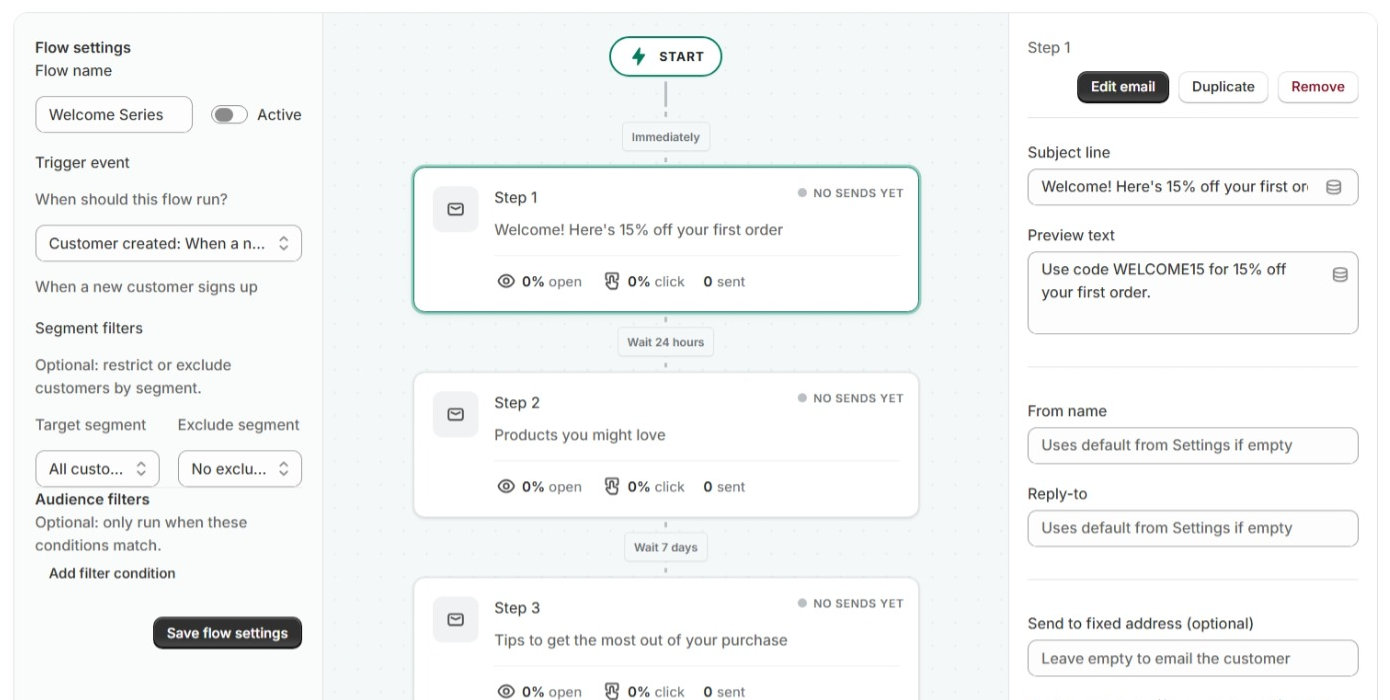
Build multi-step email flows: trigger, wait, send
Pause, archive, or filter who enters. Launch a Shopify cart recovery email flow, welcome series, or custom email flows for customers and staff.
Triggers & filters
Trigger on cart abandoned, orders, shipments, product views, or a schedule. Filter by consent, tags, spend, cart contents, location, and discount codes.
Ready-made presets
Start from marketing presets (welcome, cart recovery, browse abandonment, post-purchase, winback) or ops presets (backorder, dropship, wholesale, large-order alerts).
Staff routing
Staff steps can email up to 3 notify recipients instead of the customer, routed by product or customer tags.
<Visual_builder />
Drag-and-drop canvas with live Shopify data
Live preview. Pre-built section templates. Shopify pickers for products, files, discounts, and collections. Images from the store file library.
- Header, text, image, button, and layout blocks
- Product card, cart list, and order line items from Shopify
- Discount codes and collection pickers
- Personalize with customer, order, cart, and tracking data
- Unsubscribe block with marketing consent support
<Post_send_actions />
Automate what happens after an email sends
Optional steps after a send can update Shopify records or call external systems. Tag customers, orders, or products; append notes; set metafields; remove someone from a segment; or POST a webhook.
<Segments />
Reusable audiences with AND/OR rules
Build reusable audiences with AND/OR rules and except this customer exclusions. Flows can target a segment so the right customers enter each journey. Target by purchase history, location, tags, and email engagement.
<Analytics />
Sends, opens, clicks, and attributed revenue
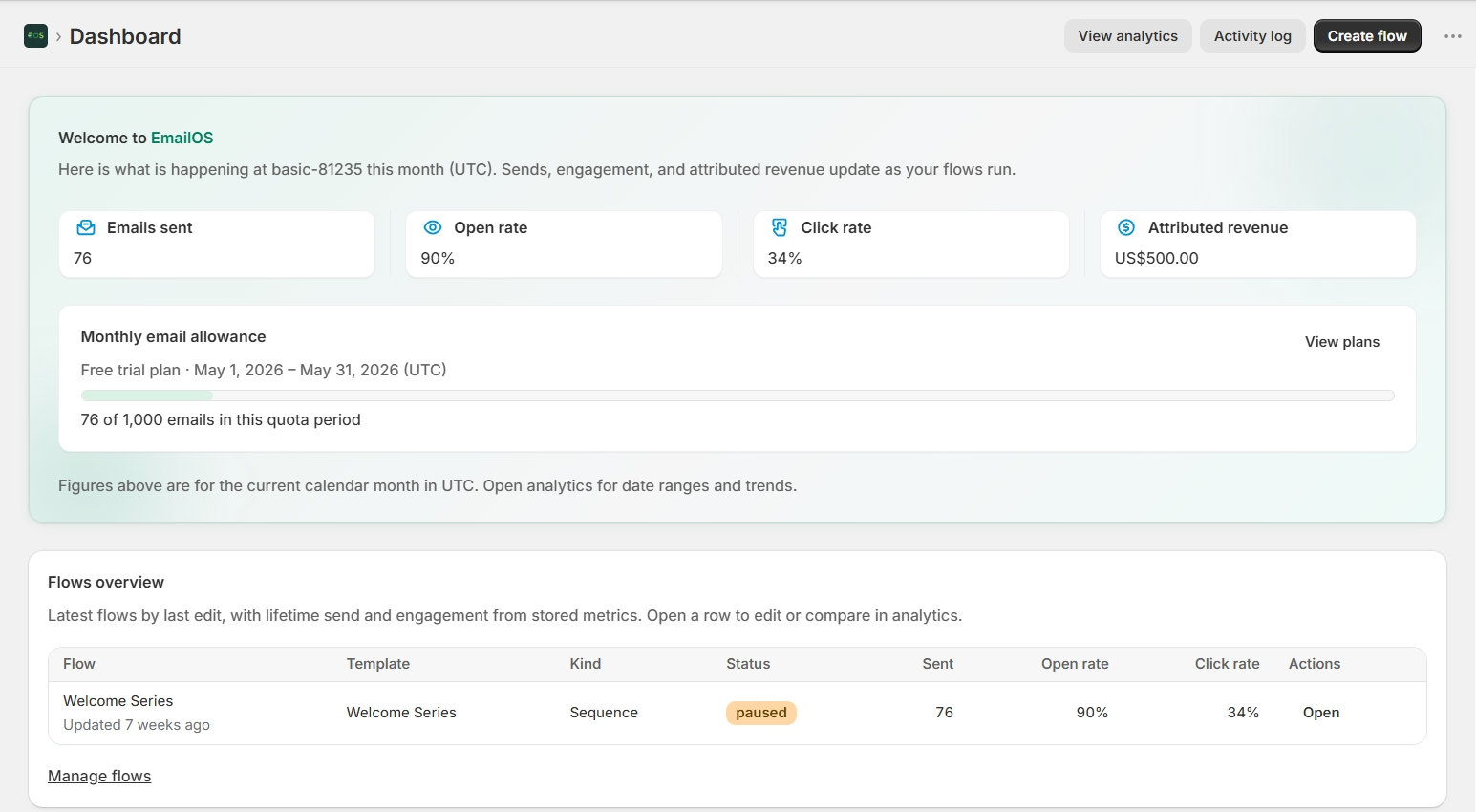
Dashboard for sends, opens, clicks, and usage vs plan quota. Lifetime flow overview, date range, per-flow filter, trends, and 7-day last-touch revenue attribution from email clicks to orders. Searchable send log with export.
Deliverability and branding
One-click unsubscribe on marketing emails. Respects Shopify marketing consent. Free trial sends from the shared EmailOS domain. Plus and Pro: add and verify your own sending domain (DNS), branded From name and reply-to.
Stay inside Shopify
Install from the App Store. Lives in Shopify admin (Flows, Segments, Analytics, Activity, Settings). No separate login for day-to-day use.
<Use_cases />
What merchants run first
Welcome new subscribers
Recover abandoned carts
Remind browsers
Confirm and ship orders
Win back lapsed buyers
Alert staff on dropship and backorders
<Plans />
Start on a free trial, then pick a quota that fits
Free trial
$0/ month
- Up to 3 flows (not archived)
- Up to 1,000 emails per month
- Dashboard analytics
- Send from the shared EmailOS domain
Plus
$49/ month
- Up to 10 flows
- Up to 10,000 emails per month
- Dashboard analytics
- Custom sending domain
Pro
$99/ month
- Up to 50 flows
- Up to 50,000 emails per month
- Dashboard analytics
- Custom sending domain
<EmailOS_FAQ />